

What is AirFly?
AirFly is a small adapter that plugs into the audio jack on the back of a plane seat, letting you use your own Bluetooth headphones instead of the cheap wired ones your airline will provide.
Even though it’s stocked by Apple and has a name that sounds like AirPods, the AirFly isn’t an Apple product. The ‘Air’ branding also made me think it was only for plane use, but it can actually work anywhere. My partner pointed out that AirFly will work with anything that has a headphone jack but no Bluetooth: like treadmills, the Nintendo Switch, older iPads, even a CD or cassette player.
Our Model
We went with the basic model, the AirFly SE – but there is a Pro version also. The main difference is that the Pro lets you connect two devices at the same time. It can also receive audio, meaning you could play music from your phone through a non-Bluetooth car speaker or aux port.
The two-device feature could be useful for couples, but on a plane you’d each want your own screen anyway, and that’s what the movie syncing trick is for. So if you’re just planning on using it for flying, the SE is all you need.
Cheaper alternative
During our research we found positive reviews for the Avantree Relay also. It’s the same price as the AirFly SE but does allow you to connect 2 headphones. We of course haven’t tried this, so it’s worth reading through the reviews yourself before buying.
Set up
Quick tip: We recommend pairing your AirFly at home before your trip so you can confirm it’s working and ready to go as soon as you board.
1. Turn on aeroplane mode on your phone or any device your headphones were last connected to (or just switch off Bluetooth)
2. Switch the power button to ‘on’ on the side of the AirFly – shown in red below

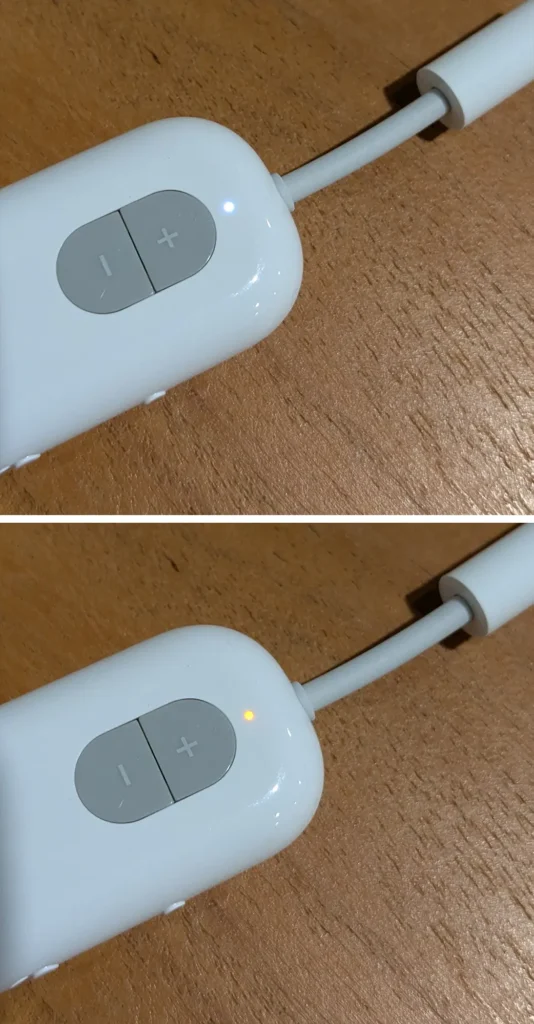
3. Press and hold the button next to the power switch for 4 seconds – shown in blue above. Hold until the light flashes between white and orange (this is pairing mode) – shown below
4. Put your headphones into pairing mode
5. Once the light turns solid white (and no longer flashing) this means you’re connected
Once paired, the AirFly will remember your headphones and reconnect automatically when you turn it on on the plane.
Using the AirFly on a plane
For reference the headphones my partner and I have and used with the AirFly are Google Pixels Buds and the Sony WF C710N.
You may need an adaptor
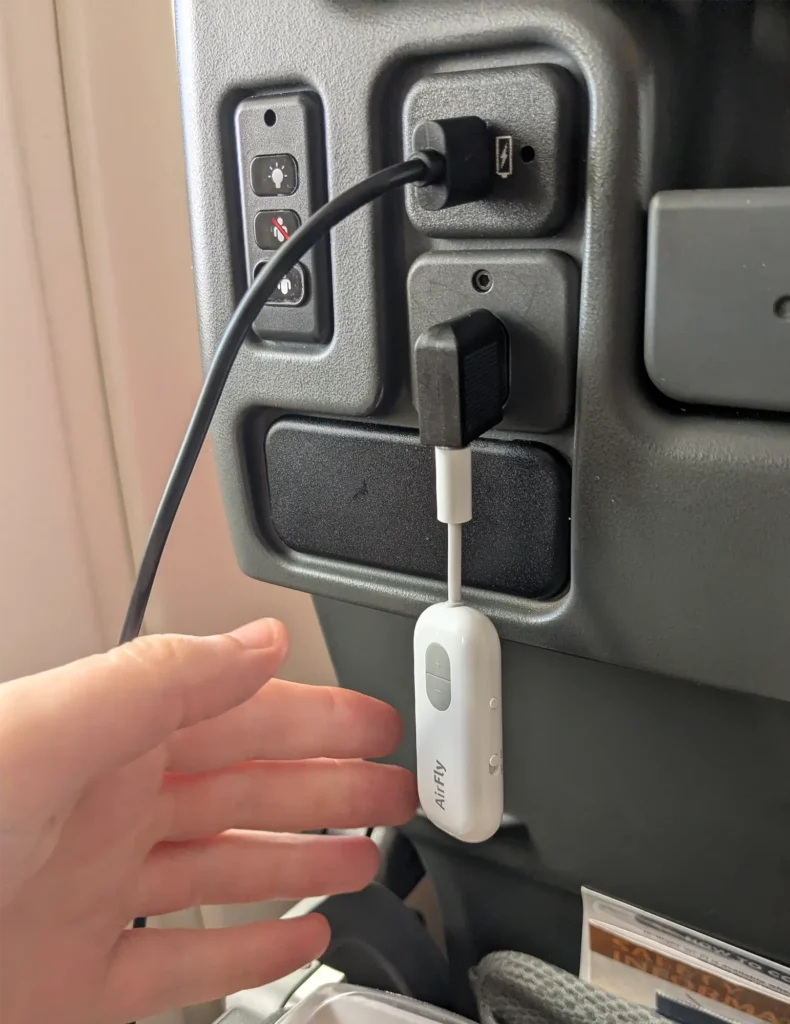
Some planes with dual-prong outlets require an airline headphone adaptor between the AirFly and the socket. It’s not something many reviews mention, but it’s worth having one in your carry-on just in case (we learnt this the hard way the first time we tried to use it). Next flight we used a cheap one from Amazon which worked perfectly.
We only ran into this once across four flights on our recent Europe trip (a Singapore Airlines 777) while the A380 flights were fine without it. It really comes down to how old the entertainment system is, so older planes are where having an adaptor comes in handy.
Connection quality
My partner noticed a slight lip-sync delay, but I didn’t even pick up on it. He said he quickly got used to it though. After looking into it when we landed, he found that a small lag is normal and will vary depending on your headphones.
I’m not very techy but my partner is, so here’s his advice:
If you’re worried about possible lagging, you can usually check your headphone specs online by searching “[model name] Bluetooth codec.” If it only lists basic support (SBC), there will usually be a more noticeable delay.
Battery life
The AirFly SE’s battery life is listed at 20 hours. We didn’t track our exact usage hours (we unplugged while sleeping), but across our long-haul flight from Australia to Europe it never ran out.
I personally think the bigger issue will be your headphones dying before the AirFly does. Most planes have a USB port too, so you can always pop it on charge when you’re not using it.
Is the AirFly worth it?
We both agree it is. If you’re specifically buying the AirFly for travel, the SE does everything you need, there’s no reason to spend extra on the Pro.
And unlike other travel gadgets it’s also a bonus knowing it has uses beyond a plane, so it won’t just be sitting in the cupboard until our next trip.